Pragmas, maintenance and backups
Pragmas
Pragmas on a database’s context menu, or in the Database menu, opens a page of the settings SQLite keeps for it — the journal mode, the page size, foreign keys, the user version and the rest — each with what it does:
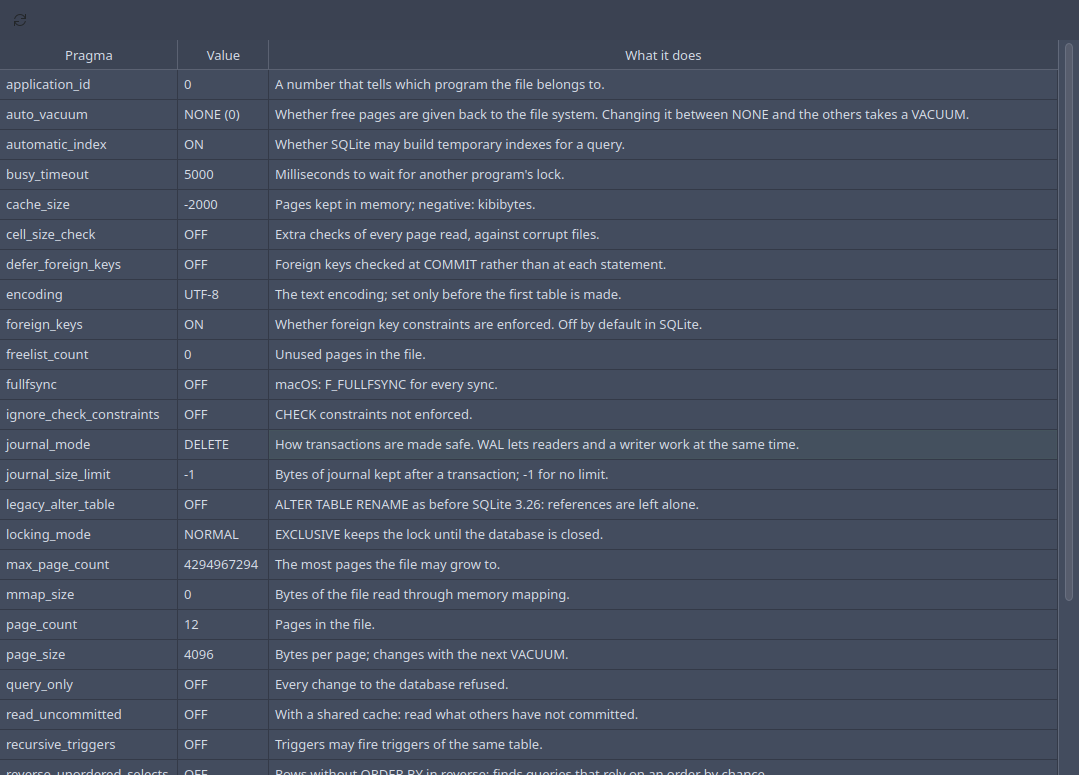
Double-click a value to change it; a pragma with a fixed set of values, like
journal_mode or synchronous, offers them in a list. Values that only
describe the file, like page_count or freelist_count, are read-only.
F5 reads them all again.
Some pragmas belong to the file and stay with it — journal_mode=WAL,
user_version, application_id, auto_vacuum. Most others, such as
foreign_keys or cache_size, belong to the connection and last until
the database is closed; the preferences say whether
Sqliteman turns foreign_keys on, and how long it waits for a lock, for
each database it opens.
WAL
journal_mode set to WAL keeps changes in a write-ahead log next to the
database (name-wal, with name-shm), which lets readers carry on while
one connection writes — the mode to choose when a program and Sqliteman
use the same file at the same time. It stays set in the file. SQLite folds
the log back into the database by itself, and when the last connection
closes.
Maintenance
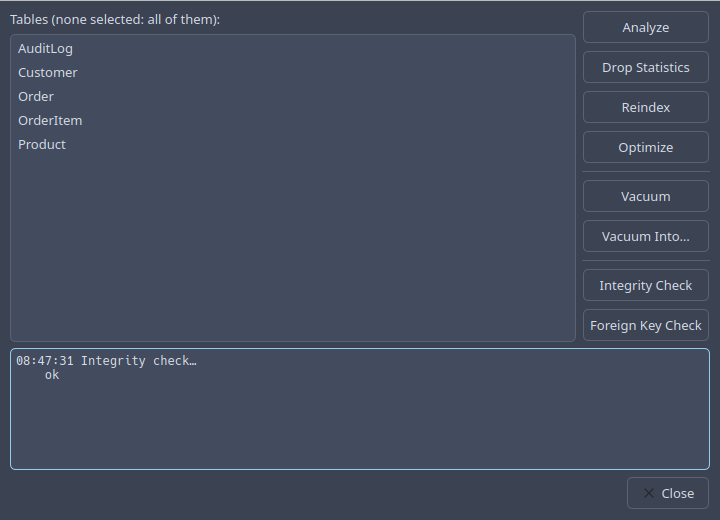
Maintenance… collects what keeps a database healthy:
- Analyze
Gathers the statistics the query planner chooses indexes by.
- Drop Statistics
Forgets what Analyze gathered.
- Reindex
Builds the indexes again from the rows.
- Optimize
PRAGMA optimize: analyzes where SQLite thinks it worth it.- Vacuum
Rewrites the whole file without its free pages, so it shrinks.
- Vacuum Into…
Writes a compact copy of the database to a new file — a consistent backup, taken while the database is in use.
- Integrity Check
Looks through the whole file for damage.
- Foreign Key Check
Lists the rows that refer to rows that are not there.
Analyze and Reindex work on the tables selected in the list, or on all of them when none is. What each operation did goes to the log below.
Dumping a database
Dump Database… writes the database as an SQL script that makes it again,
the way the sqlite3 shell’s .dump does: each table with its rows as
INSERTs, then the indexes, triggers and views, all inside one transaction
so reading it back is fast. Export Schema… writes the same without the
rows.
The file is written atomically: it is replaced only once all of it is written, so a failed dump never leaves half a file behind. Open the script in an editor and run it with Ctrl+Shift+Enter against a new database to restore it.