Table data
Double-clicking a table or view in the browser, or Open on its context menu, opens its page at the Data tab: its rows. The same table opens in the same page, and its structure and diagram are on the tabs beside the rows.
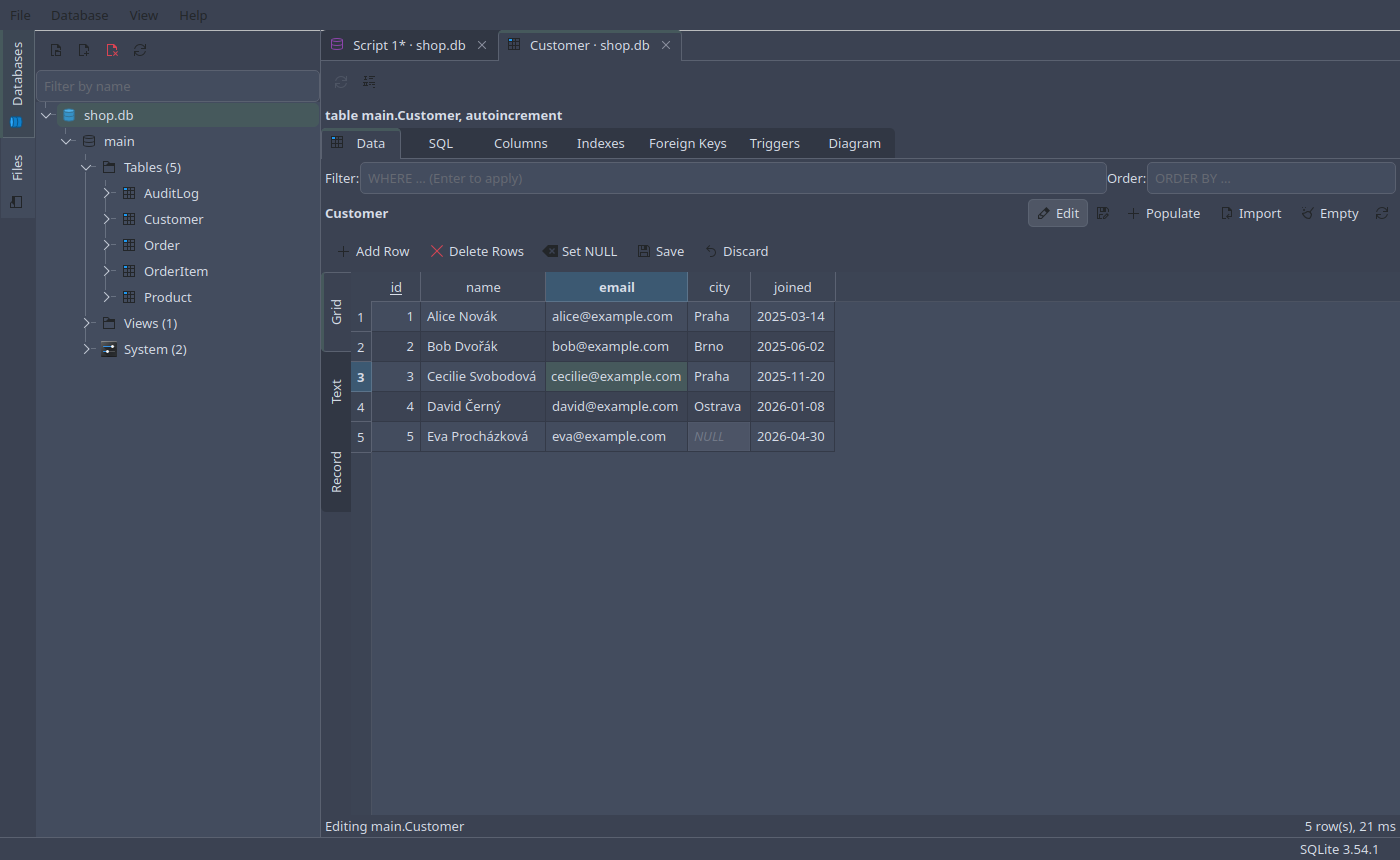
Filter and Order above the rows take what would follow WHERE and
ORDER BY: city = 'Praha' AND joined > '2025', name COLLATE NOCASE.
Enter in either reads the rows again.
A table’s rows can always be edited: the page finds
each row by the table’s primary key, or, for a table that has none, by its
rowid, which is then the first column shown. A view’s rows are
read-only.
The rest of the toolbar works on the whole table: Populate… and Import…, below, and Empty…, which deletes every row after asking. F5 reads the rows again; with changes not saved yet, it asks first. Closing the page with changes not saved asks whether to save them.
Populating a table
Populate… fills a table with made-up rows, for trying out queries and indexes on more data than there is:
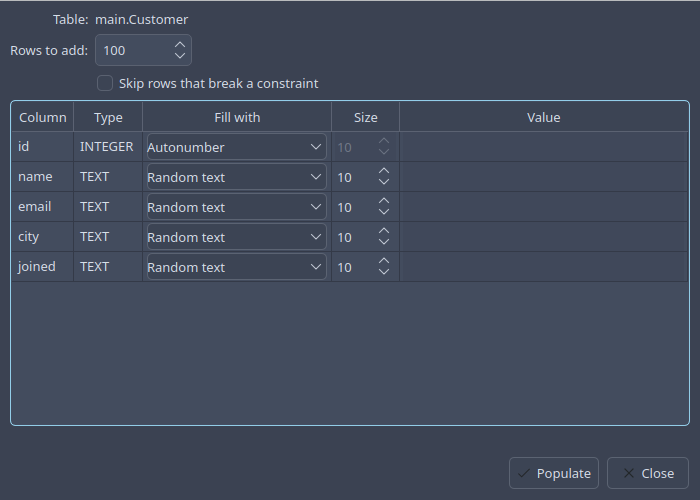
Each column gets one of:
Fill with |
What goes in |
|---|---|
Autonumber |
the next number after the largest in the column |
Autonumber from value |
numbers counting on from the one given |
Random number |
a number of the given number of digits |
Random text |
letters, as many as the size says |
Prefixed text |
the given prefix followed by a number |
Static value |
the same value in every row |
Date: now / random |
a date as text, |
Date: … Unix time |
the same, as seconds since 1970 |
Date: … Julian day |
the same, as SQLite’s Julian day number |
Ignore |
nothing: the column’s default |
Skip rows that break a constraint inserts with INSERT OR IGNORE, so a
random value that collides with a UNIQUE one leaves that row out rather
than failing them all. The rows go in together, in a savepoint: either all
of them are added or none are.
Importing CSV
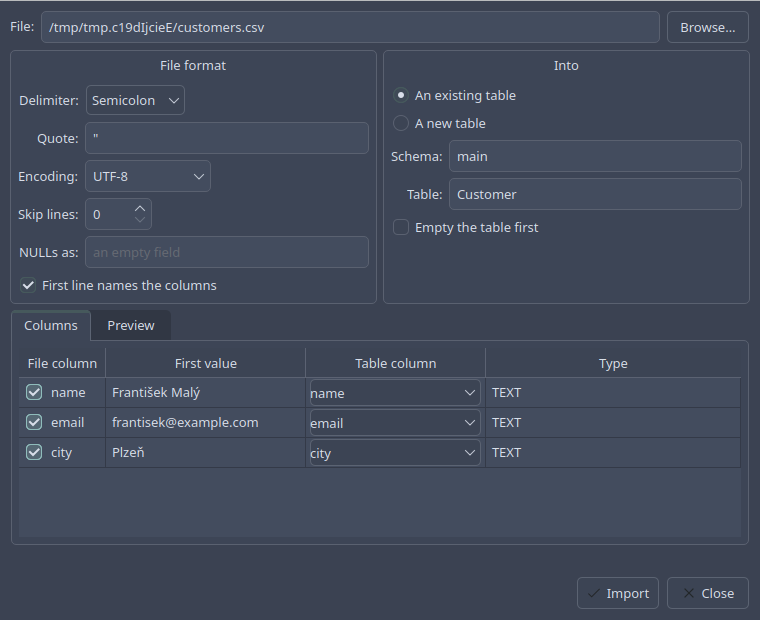
Import CSV… on a table adds rows to it from a file; on a database, or from the Database menu, it can make a new table for them:
- File format
The delimiter — comma, semicolon, tab or pipe, guessed from the first lines — the quote, the encoding, lines to skip at the top, whether the first line names the columns, and what an unquoted field reads when it is
NULL. A quoted field is neverNULL. The encodings are UTF-8, UTF-16, ISO-8859-1 and -2, and Windows-1250, -1251 and -1252, on every system.- Into
An existing table, emptied first if wanted, or a new one, whose columns are named after the file’s first line and typed
INTEGER,REALorTEXTby what the first rows hold.- Columns
Which column of the file goes into which column of the table. Columns of the same name are matched by themselves; a column left out takes its default.
Preview shows the first rows as they will be inserted.
The import is one transaction — or, inside a transaction already open, one savepoint — so a row that fails, or Stop, leaves the table as it was.