Configuration
File → Preferences… opens the preferences. They apply as soon as they are saved: the grids, editors and databases already open follow them.
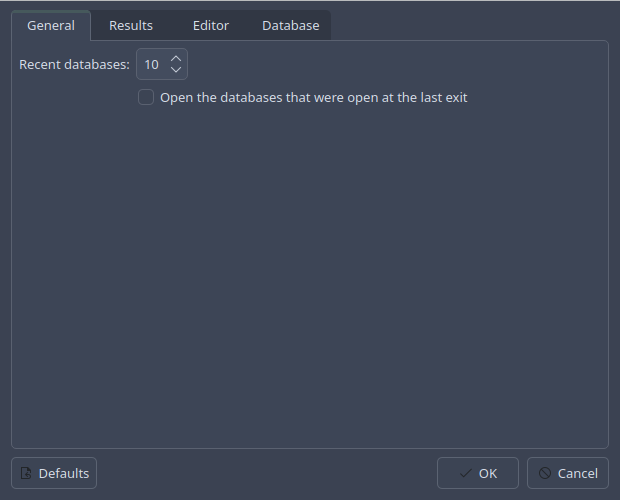
General
- Recent databases
How many databases File → Open Recent lists.
- Open the databases that were open at the last exit
Starting the program opens them again.
Results
- NULL shown as, Blob shown as
The text a
NULLand a blob are shown as, and the background that tells them from text. Click a colour to choose it; right-click for the default, a shade of the current palette.- Row limit
A query stops reading after this many rows, so that a careless
SELECTof a huge table does not fill the memory. An export reads them all whatever this says.
Editor
- Font
The editors’ font; right-click for the system’s fixed font, which is the default.
- Highlight the current line, Width mark at column
A background for the line the cursor is on, and a line down the editor at a column.
- Complete names while typing
Whether the completion list opens by itself, and after how many letters. Ctrl+Space opens it either way.
- Templates
The words that Tab turns into text, and that text. A line break in a template is written
\n. See templates.
Database
These apply to each database as it is opened; a database open already keeps what it was opened with until it is opened again.
- Enforce foreign keys
Turns
PRAGMA foreign_keyson. SQLite leaves it off unless asked.- Wait for locks
How long a statement waits for another program to let go of the file before it fails with database is locked.
- Allow loading extensions
Whether extensions may be loaded at all, with Load Extension… or SQL’s
load_extension(). An extension is a library that runs inside the program: load only those you trust.- Extensions loaded into every database opened
Extensions to load as each database opens, once loading them is allowed.
Where things are kept
The preferences, the recent databases, the size and layout of the windows,
and the last directories of the file dialogs live in the usual place for
the platform, through QSettings:
Linux —
~/.config/yarpen.cz/sqliteman.confmacOS —
~/Library/Preferences/cz.yarpen.sqliteman.plistWindows — the registry, under
HKEY_CURRENT_USER\Software\yarpen.cz\sqliteman
Deleting that file, or the key, starts over from the defaults. The settings of Sqliteman 1.x were kept elsewhere and are not read.